
BMW F36 Reverse Camera Installation | Road Top CarPlay DIY
Disclaimer:
This post is based on my personal experience and intended for informational and educational purposes only. Procedures, tools, and parts may vary depending on the vehicle and situation. Always consult your service manual or a professional before performing any maintenance.For more information, please read the full disclaimer here.
BMW F36 Reverse Camera Installation with Road Top Module
When I bought my BMW F36 420d Gran Coupe, it came without factory parking sensors or a reverse camera. Although many owners solve this by replacing the original display with a large Android head unit, I wanted something different.
🎯 My Goal
- ✔ Keep the original BMW iDrive system.
- ✔ Preserve the factory dashboard and OEM appearance.
- ✔ Add Wireless Apple CarPlay and Android Auto.
- ✔ Install an aftermarket reverse camera that works like a factory system.
- ✔ Avoid modifying the interior more than necessary.
After researching different retrofit options, I decided to use a Road Top CarPlay Module together with an aftermarket trunk handle camera. The installation turned out to be much easier than expected, although routing the camera cable from the trunk to the dashboard required a significant amount of patience.
This guide documents steps of my installation. Since this was my first time removing BMW interior trim and working with vehicle electronics, I hope it helps other BMW owners who want to complete the same upgrade without replacing their original infotainment system.
Step 1 – Choosing the Right Hardware
The first step involved selecting hardware that would integrate with the factory BMW NBT system without replacing the original display.
Road Top CarPlay Module
I chose the following module:
Road Top CarPlay Module for BMW NBT 3 / 4 / 5 / 6 / 7 (2012–2016)
The module provides:
- Wireless Apple CarPlay
- Android Auto
- MirrorLink
- Reverse camera support
- Compatibility with the factory BMW iDrive controller
- Factory-looking integration


Reverse Camera
For the camera, I selected an aftermarket trunk handle replacement designed specifically for the BMW F36: BMW 3 Series F30 F31 F34 4 Series F32 F36 5 Series F10 F11 (2012-2017) – AHD 720p/CVBS 170° Wide Angle IP67 12V Rear View Camera with 6M RCA Cable
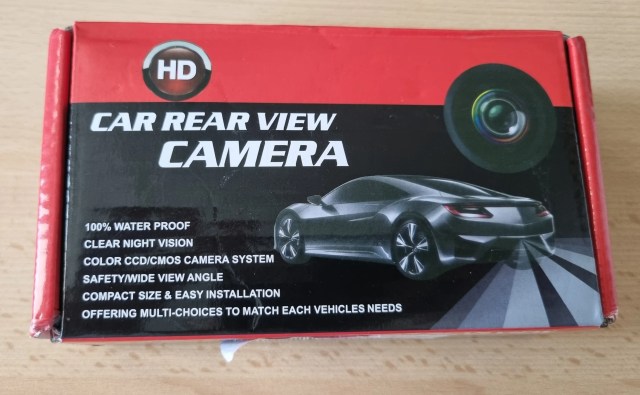
Specifications:
- AHD 720p
- CVBS support
- 170° viewing angle
- IP67 waterproof rating
- 12V operating voltage
- 6-meter RCA cable
Replacing the original trunk handle gives the installation an OEM appearance without requiring any permanent modifications.
Step 2 – Installing the Road Top CarPlay Module
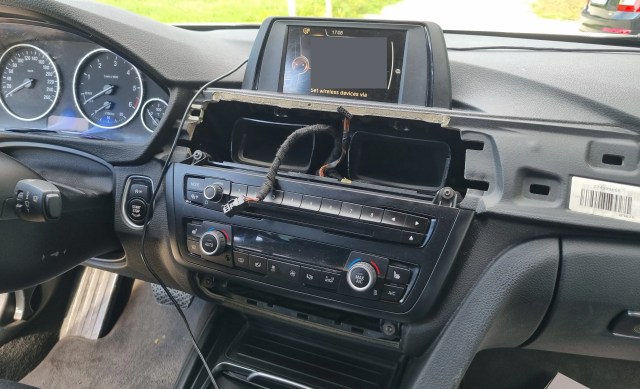
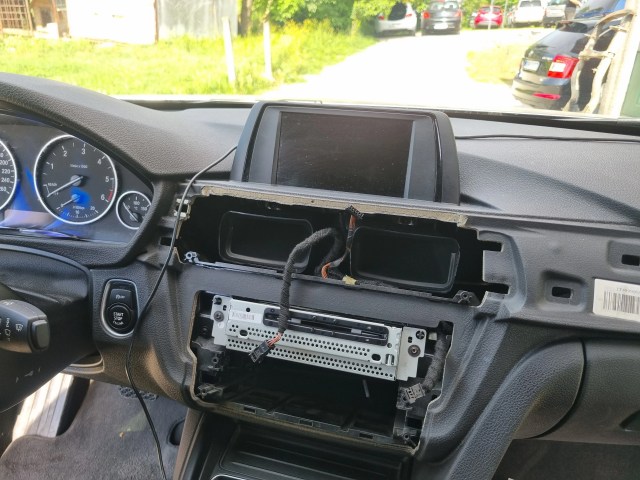
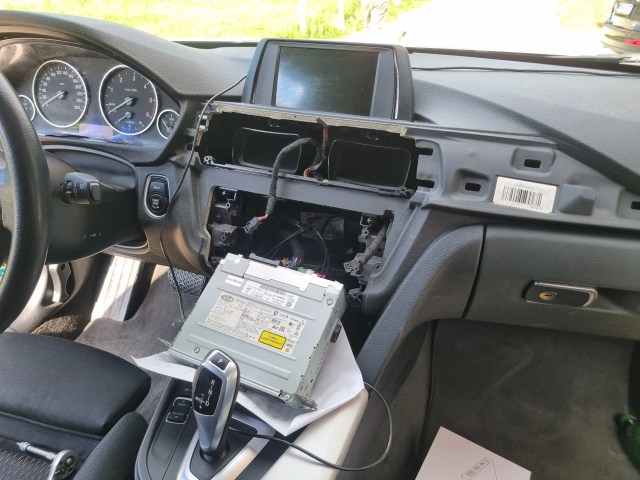
Installing the Road Top module proved to be one of the easiest parts of the project. I follow instructions from the official document. You can open it here.
I removed the dashboard trim and accessed the factory NBT unit by following an installation video. The Road Top kit also includes detailed documentation for different BMW models and camera configurations, making the wiring process straightforward.
Once connected, the module integrates directly with the original BMW infotainment system while preserving all factory functionality.
Step 3 – Installing the Reverse Camera
This step required the most time.
I started by removing all interior trim panels inside the trunk.


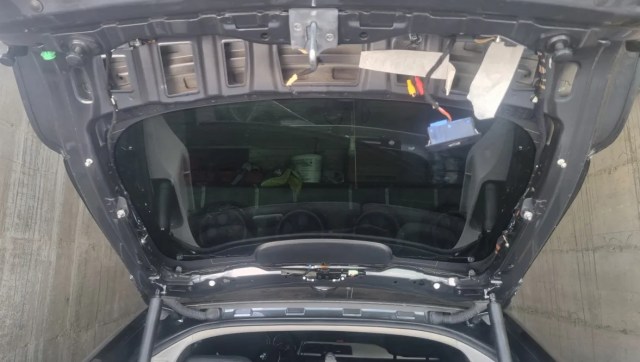
Next, I replaced the original plastic trunk handle with the new camera assembly.
After mounting the camera, I routed the cable through the factory wiring path.
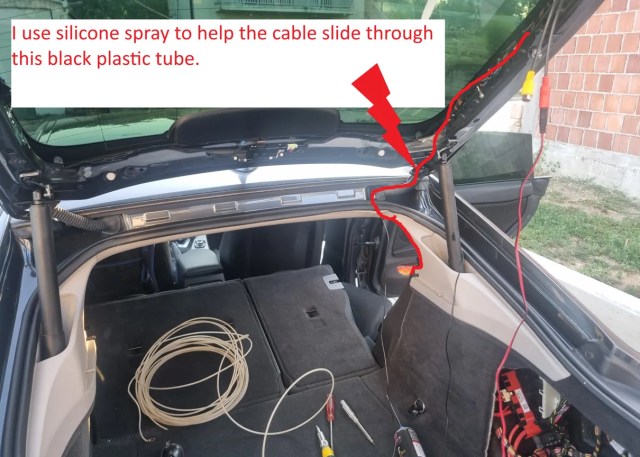
The cable routing process looked like this:
- Removed the trunk trim panels.
- Installed the new trunk handle camera.
- Routed the cable alongside the factory wiring.
- Pulled the cable through the rubber wiring boot using a cable puller.
- Lowered a small section of the headliner near the trunk.
- Routed the cable along the roof edge.
- Continued along the door sills.
- Routed the cable toward the center console.
- Pulled the cable behind the dashboard to reach the Road Top module.
Although this process took several hours, all wiring remains completely hidden and the finished installation looks factory-installed.
Step 4 – Connecting the Camera Power
Finding the correct power source required some experimentation.
After several tests, I discovered that powering the camera directly from the Road Top CarPlay module produced the most reliable results.
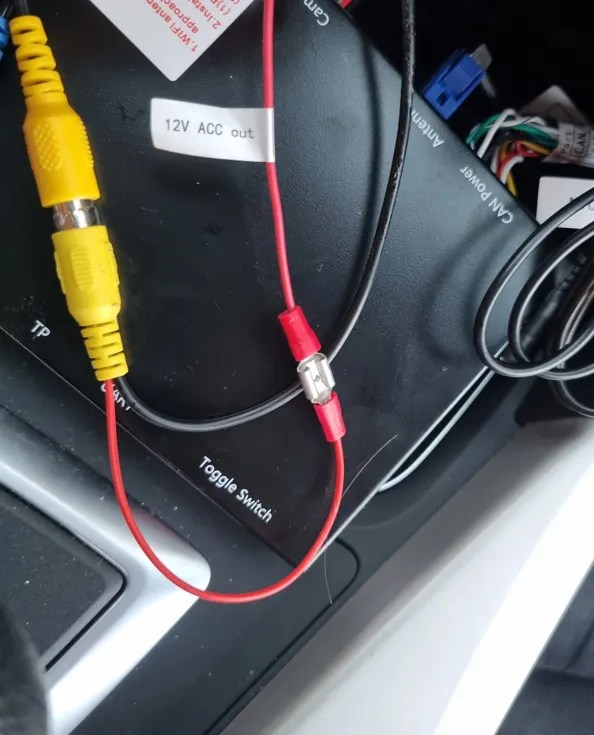

I connected the camera ground to a chassis ground point inside the trunk.
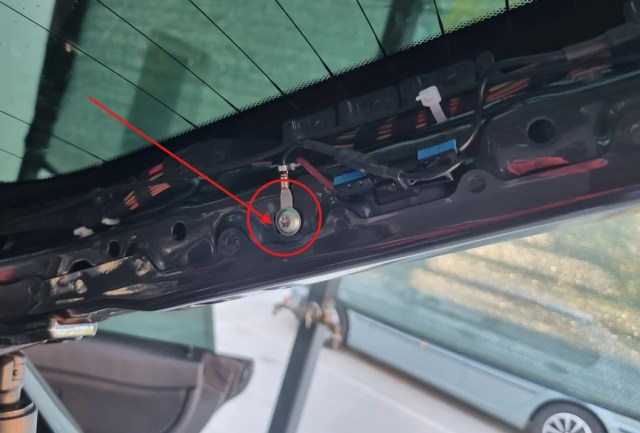
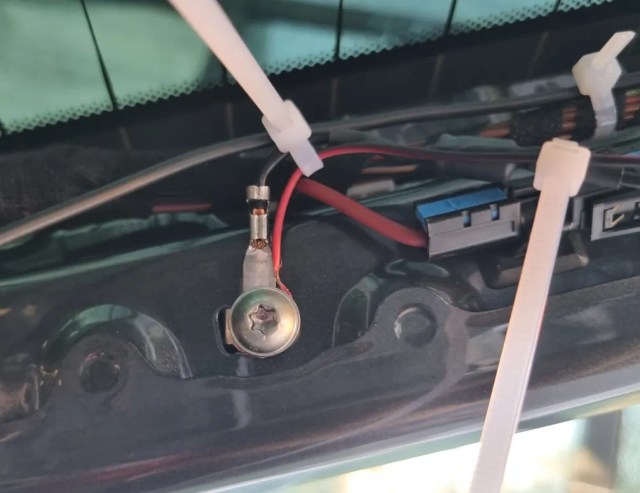
Since making this change, the camera activates every time I shift into reverse.
Problems I Encountered
The installation did not work perfectly on the first attempt.
Reverse Light Power
My first idea involved powering the camera directly from the reverse light.
Although this seems like the obvious solution, the camera never activated correctly when I selected reverse gear.
Rear Tail Light Power
Next, I connected the camera to the rear tail light.
This setup only supplied power when the exterior lights were turned on, so the reverse camera did not work consistently.
Frequently Asked Questions (FAQ)
Can I keep the original BMW iDrive screen?
Yes. That was the main reason I chose this solution. The Road Top module works with the factory display and iDrive controller, so there is no need to replace the original screen with an Android head unit.
Does the Road Top module support both Apple CarPlay and Android Auto?
Yes. The module supports Wireless Apple CarPlay and Android Auto while maintaining the original BMW interface.
Do I need to code the car after installation?
No. I did not perform any coding. Once the hardware was connected correctly, the system worked without additional programming.
Was the installation difficult?
Installing the Road Top module was straightforward. Routing the camera cable from the trunk to the dashboard required the most time and patience, especially if you want to hide all the wiring behind the interior trim.
Which power source worked best for the reverse camera?
After testing several options, I achieved the best results by powering the camera directly from the Road Top CarPlay module and connecting the ground to the chassis in the trunk.
Why didn’t powering the camera from the reverse light work?
In my case, the camera did not initialize reliably when powered from the reverse light. Supplying power directly from the Road Top module solved the issue completely.
Does the installation look like a factory retrofit?
Yes. Since the camera replaces the original trunk handle and all wiring remains hidden behind the trim panels, the finished installation has a clean OEM appearance.
Would I choose the same setup again?
Absolutely. It allowed me to keep the original BMW iDrive experience while adding Wireless CarPlay, Android Auto, and a reliable rear view camera at a much lower cost than replacing the entire infotainment system.
About the Author


