
Fix “Install Failed” Error on Launch Diagnostic Tool Packages
Disclaimer:
This post is based on my personal experience and intended for informational and educational purposes only. Procedures, tools, and parts may vary depending on the vehicle and situation. Always consult your service manual or a professional before performing any maintenance.For more information, please read the full disclaimer here.
Introduction: Launch Diagnostic Tool
I use the Launch Creader Elite 2.0 BBA, a diagnostic tool made for BMW, Benz, Audi, VW car (in my case). It is compact, fast, and powerful. I use it daily with my BMW 420d Gran Coupe F36 (2016). You can find more information about device on this link.
Most of the time, it works great. But sometimes, updating the software packages does not go smoothly.
The Upgrade “Install Failed” Problem
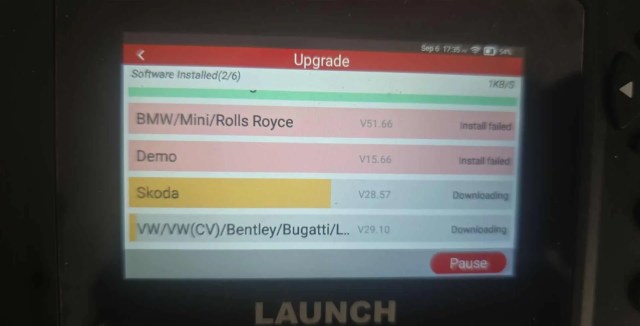
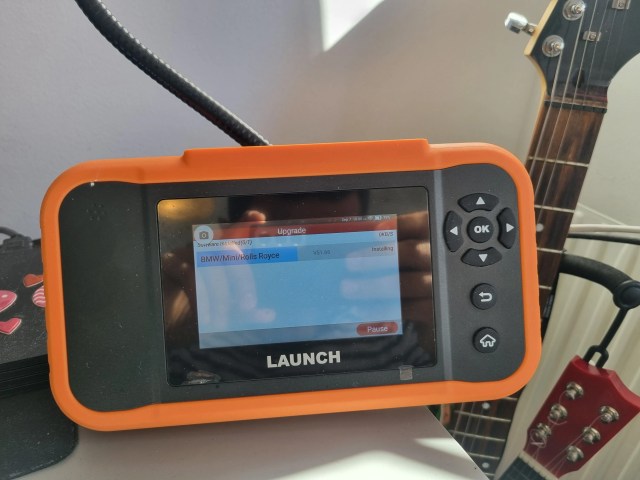
When you try to upgrade for example the BMW/Mini/Rolls Royce package, the process starts. The download begins, the progress bar moves, and you think everything is fine. But suddenly, the installation stops with a red message: Install Failed.

Sometimes, the download does not even start. In the worst case, you also lose the previously installed version. This happened to me when I tried to upgrade BMW/Mini/Rolls Royce to Version 51.66 from Version 51.65.

How to Fix the Error
I tried different things to solve this problem, but most of them didn’t help. After some testing and a lot of trial and error, I finally found a method that actually worked for me. The steps below are the ones that solved the issue on my device, and hopefully, they will work for you too.
Option 1: Available Storage
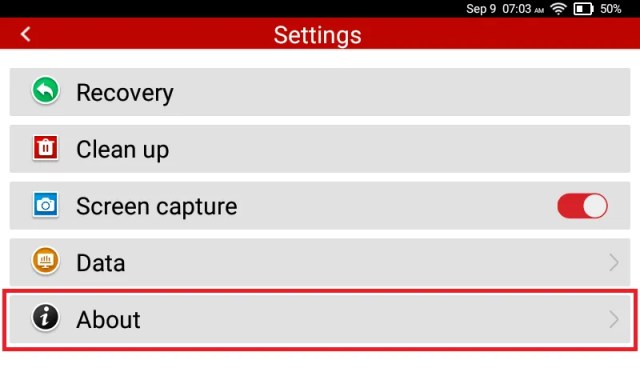
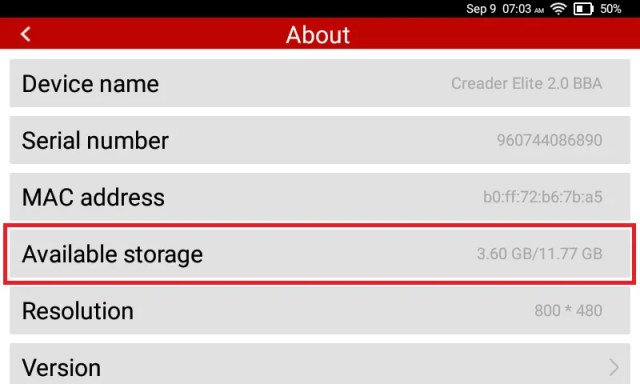
Low memory often causes the problem. To check it and solve the issue follow the next steps.
Sep 1: Check Available Storage
Go to: Settings → About → Available Storage
If space is low, delete old reports or unused data. If there is still no available storage delete unused diagnostic packages.
Step 2: Delete Unused Diagnostic Packages
Go to: Diagnose → Delete Package
Select a diagnostic package you no longer use, tap on it, and confirm the deletion when prompted.

Option 2: Use Clean Up
The device may keep files that block updates.
Go to:
Settings → Clean up
This clears cache and removes unnecessary data.

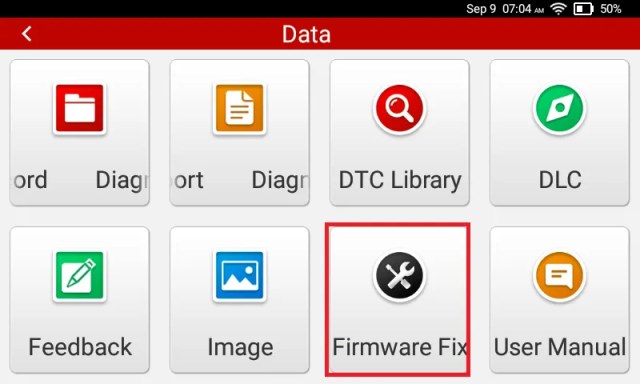
Option 3: Try Firmware Fix
If the error persists, run a system repair.
Go to:
Settings → Data → Firmware fix
This resets system files and often solves the problem.
Try now to install the package.
Conclusion
The Launch Creader Elite 2.0 BBA is a powerful diagnostic tool. Still, package upgrades sometimes fail with an Install Failed error. Don’t panic if this happens.
Check storage, use clean up, and try the firmware fix.
In my case, these steps brought the tool back to normal and allowed me to continue diagnostics without issues.
Stay tuned, I will share more real-world experiences with this tool in upcoming posts.
About the Author


