
Exploring vehicle diagnostics using the Vgate iCar 2 and BimmerLink app.
Disclaimer:
This post is based on my personal experience and intended for informational and educational purposes only. Procedures, tools, and parts may vary depending on the vehicle and situation. Always consult your service manual or a professional before performing any maintenance.For more information, please read the full disclaimer here.
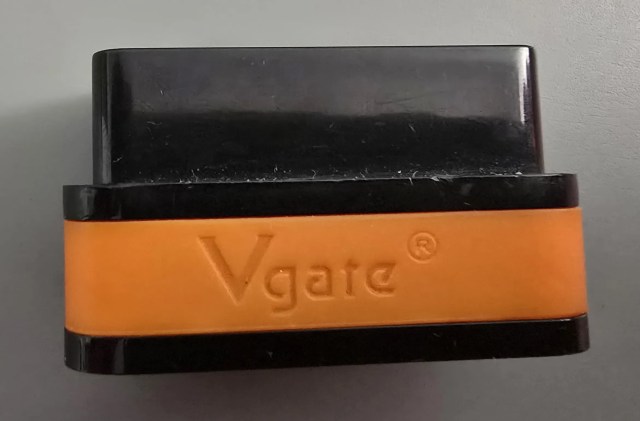
Vgate iCar 2 WiFi OBD2 Adapter
If you are looking for an affordable and reliable OBD2 adapter that works seamlessly with BMW diagnostic apps, the Vgate iCar 2 WiFi OBDII adapter is an excellent choice. I’ve been using it with BimmerLink, and the performance has been flawless.
This compact tool connects via WiFi, making it compatible with Android, iOS, and Windows devices, which is perfect for both quick checks and more advanced diagnostics.
Why I Chose the Vgate iCar 2
There are many OBD2 adapters like Vgate iCar 2 on the market, but I needed something that:
- Works with BimmerLink (and other apps).
- Is very stable and doesn’t randomly disconnect.
- Supports WiFi instead of just Bluetooth (important for iOS).
- Affordable compared to premium OBD tools.
The Vgate iCar 2 ticks all these boxes, and after months of use, I can confirm it’s a reliable device.


My Experience with BimmerLink

I tested the Vgate iCar 2 WiFi with my BMW F36 420d, and it worked perfectly with the BimmerLink app.
Here are some diagnostics I performed using this setup:

Both functions worked without issues, and the connection was stable during the entire session.
How to Use the Vgate iCar 2 with BimmerLink
- Plug the adapter into your car’s OBD2 port.
- Connect your smartphone to the WiFi network created by the adapter.
- Open the BimmerLink app and select the Vgate iCar 2 as your adapter.
- Start diagnostics, battery monitoring, DPF checks, and more.
It’s literally plug-and-play.
Pros and Cons
Pros:
- Works with Android, iOS, and Windows.
- Affordable compared to other OBD2 adapters.
- Stable WiFi connection (important for iOS users).
- Fully compatible with BimmerLink.
Cons:
- WiFi connection means you lose internet while connected
Conclusion
The Vgate iCar 2 WiFi OBD2 adapter is a great budget-friendly tool for BMW owners who want to use BimmerLink for diagnostics. I’ve personally used it for battery health checks and DPF regeneration monitoring, and it has never let me down.
👉 If you want a simple and reliable way to connect your car to your smartphone:
Get the Vgate iCar 2 WiFi OBD2 Adapter on Amazon
About the Author


